
 Tender
Online invitations with RSVP
Your invitation, online in minutes.
Pick a design, personalise the texts and photos, and your guests reply right on your page - your-names.silkvite.com. You see every answer in real time.
Set it up for free, pay when you publish
One payment, no subscription
No ads
For every occasion
What are you celebrating?
Wedding
Wedding invitations with RSVP and ceremony details.
See the designsChristening
For the little ones, with godparents, venue and schedule.
See the designsBirthday
Birthdays, coming-of-age parties and celebrations of every kind.
See the designsCorporate
Launches, conferences and team events.
See the designs
How it works
Three steps to the first “Yes, we’re coming!”
Choose the design
Browse the templates and open the live demo. Each one looks flawless on a phone, where your guests will open it. Changed your mind? Until payment you can switch to another, with your texts already in place.
Personalise
Fill in a simple form: names, date, venues, your story and photos. You see the result right away.
Send the link
Once paid, the page is live at your address. Share it on WhatsApp or email and watch the replies come in.


Envelope opening
The invitation arrives in an envelope
Before the invitation, your guests see an envelope with your initials on the seal. They tap it, the envelope opens and the invitation rises out of it, with music, until it fills the screen.
- Each guest's name on the envelope, when you send personal links
- The envelope's music, chosen for each design, starts when the guest taps the envelope and plays while they read the invitation
- 13 envelope designs, matched to the template: velvet roses, embroidered linen, a starry sky, plain white paper and more
- Included in every package, with the envelope that matches the template; from Gold you can pick any design. The music and the envelope can be turned off in the editor
RSVP replies
Always know who’s coming.
Guests reply right on the invitation page. You get everything organised - no paper lists, no dozens of messages.
- Who’s coming, who can’t make it and how many guests
- Your guests’ messages, all in one place
- Each guest’s menu choice and allergies
- PDF and Excel export for the venue from Gold
- A notification for every new reply
86coming
9can’t come
25pending
MA
Maria & Andrei2 guests · 3 minutes ago
Coming
IP
The Popescu family4 guests · today, 11:20
Coming
CD
Cristina D.“Sending hugs from afar!”
Can’t come
Included in every package
More than an invitation
Unlimited replies
Any number of guests and replies, with how many people are coming, their menu choice and their messages. No cost per guest.
In each guest’s language
Add as many languages as you like and write your own texts in each. Guests from abroad read it in their language, on the same link.
Budget and checklist
Expenses, deposits, vendors and the gifts you receive, plus your preparations on a timeline counted back from the event date.
Map, calendar and countdown
Every venue with its map, the event added to the calendar in one tap and the days left until the big day.
Ready in minutes
Fill in the invitation with the template’s example in one tap, then change only what is yours: the names, the date, the venues, the photos.
Try any template
Until payment you can see your invitation, with your own texts and photos, in any other template of the same category, and keep the one you like.
Your colours, your sections
Every template comes in several colour variants. Hide what you don’t need and fill in the rest: the schedule, accommodation, gifts, frequently asked questions.
Changes anytime
Has the time changed? Edit the text and every guest sees the new version on the same link, with no reprinting.
On the phone, at your own address
Every template is designed for the phone first and has its own easy-to-remember address: your-names.silkvite.com
And after you send the invitation
From the first link to the last photo
The bigger packages help with everything that follows: who got the invitation, who sits where and what is left after the party.
Before the event
Sending with personal links from Silver
Pick guests from your phone contacts and send on WhatsApp or SMS (by email too, from Gold). See who opened it and who replied.
Visit statistics from Gold
How many opened the invitation each day, on which device and where they came from: the link, a personal link or the printed QR code.
Email to everyone and reminders from Platinum
The invitation goes to the whole list in one click, and whoever hasn’t replied gets a reminder automatically.
For the venue and the printer
Seating plan from Gold
Drag guests onto tables or seat them automatically, then send the venue the PDF with the tables and menus.
The printable invitation from Silver
A5 card or A4 sheet with crop marks and a QR code to the online page. From Gold, in the template’s artwork and photo, on white or in the invitation’s colour.
On the day of the event
Find your table from Gold
A QR code at the entrance: guests type their name and see which table they are at.
Guest album from Platinum
Guests send their photos from the QR code on the table, with no app and no account. You approve them and download them all.
Simple pricing
One payment, no subscription
Pay once per event. Your page stays online for the whole package period.
Silver
Online for at least 12 months (or until 3 months after the event, if that is later)$44.99
Taxes included · one-time payment / event
- RSVP form
- Envelope opening with music, with your initials on the seal
- Guest list with personal links
- Sending on WhatsApp and SMS from your own phone, with a personal link
- Personalised RSVP page
- Text editing
- Your own subdomain
- RSVP overview
- Printable invitation (PDF), with QR code
- Online for at least 12 months (or until 3 months after the event, if that is later)
Most popular
Gold
Online for at least 12 months (or until 3 months after the event, if that is later)$69.64
Taxes included · one-time payment / event
- Everything in Silver
- Silky, the AI assistant that writes your invitation's texts
- Seating plan, with a PDF and “Find your table” by QR
- Sending by email from the platform, with a personal link
- Printable invitation in the template’s artwork, with photo, on white or in colour
- Any envelope design, your choice
- CSV export of replies
- Visit statistics
- Online for at least 12 months (or until 3 months after the event, if that is later)
Platinum
Online for at least 12 months (or until 3 months after the event, if that is later)$98.39
Taxes included · one-time payment / event
- Everything in Gold
- Guest photo album, with a QR code
- Email to all guests at once and automatic reminders
- Your own domain (.ro/.com), with an SSL certificate
- Unlimited photos
- No platform credit
- Priority support
- Online for at least 12 months (or until 3 months after the event, if that is later)
FAQ
Good to know
How long until the invitation is ready?
You can personalise it right after ordering, before paying; until then only you can see it. Once the payment is confirmed, it goes public automatically. Most clients have it ready in under an hour.
Do I need technical skills?
Not at all. You personalise it from a simple form, with fields for every section of the invitation: texts, dates, venues and photos.
How do guests RSVP?
Right on the invitation page, with a form: they choose whether they’re coming, how many guests, and can leave a message. You see the replies in your account.
What is the envelope opening?
Before the invitation, your guests see an envelope with your initials on the seal and, if you send them their personal link, their name on it. They tap it, the envelope opens and the invitation rises out of it, with the envelope's music, which the guest can stop with one tap. It is included in every package, with the envelope that matches the template; from the Gold package you can pick any design. In the editor you can turn the music off or skip the envelope.
Can I change the invitation after sending it?
Yes, anytime during your package. Changes appear instantly at the same address, so guests always see the latest version.
How long does the page stay online?
For the whole period of your package (6 or 12 months) - enough for the preparations, the event and the memories afterwards.
How do I pay?
It’s a one-time payment per event, with no subscription. You get an invoice for every order.
Partner programme
How it works
Make your invitation. And earn from it.
Become partners, for free. Your invitation and the cards on the tables carry your link. Guests who make their own invitation with it get 10% off, and you get between 7% and 15% of their orders.
Blog
All articles
Ideas and tips
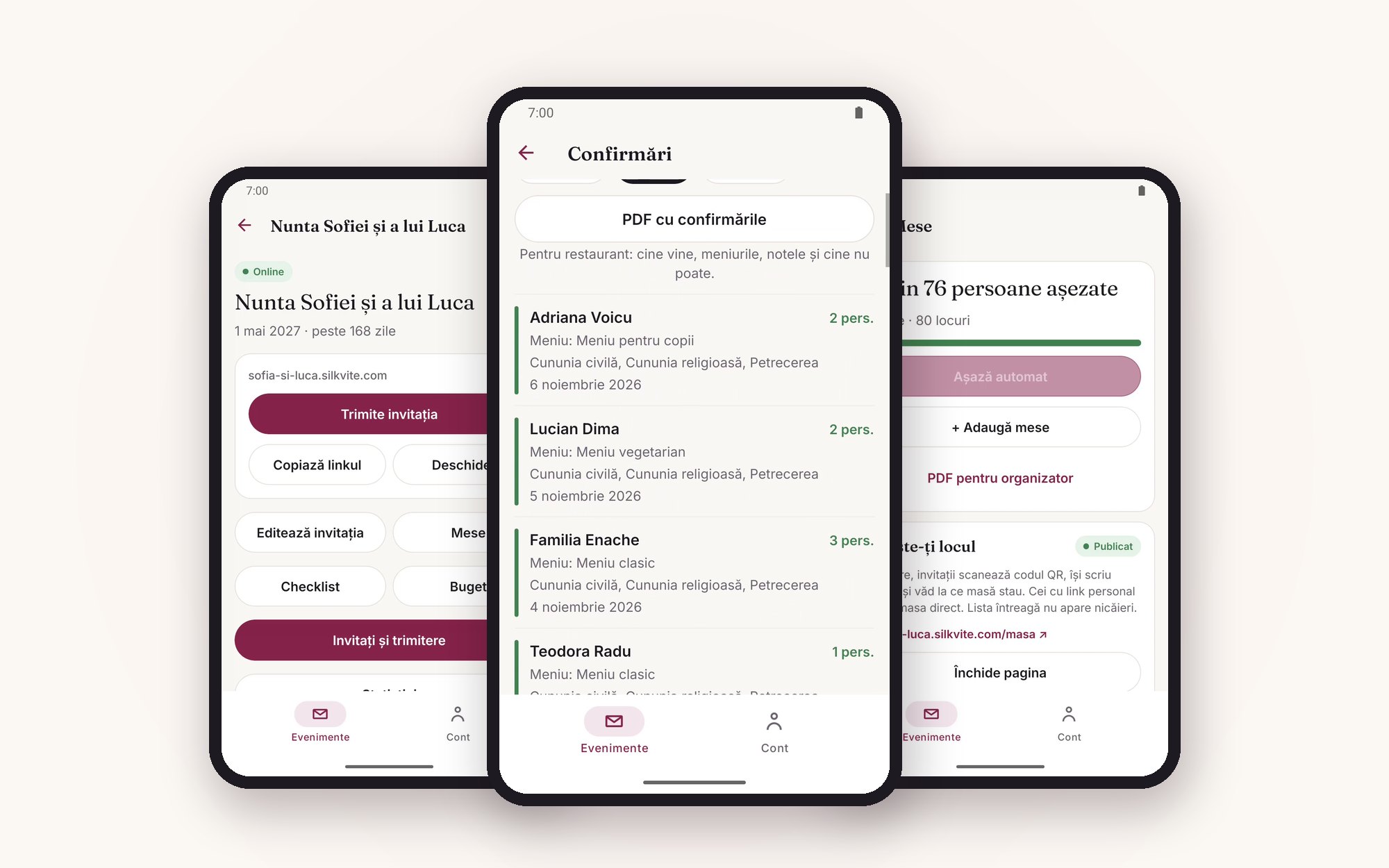
The Silkvite app for Android: your whole wedding on your phone
Replies come in when you are away from your computer. With the Silkvite app for Android you see them right away, send the invitation from your phone a...
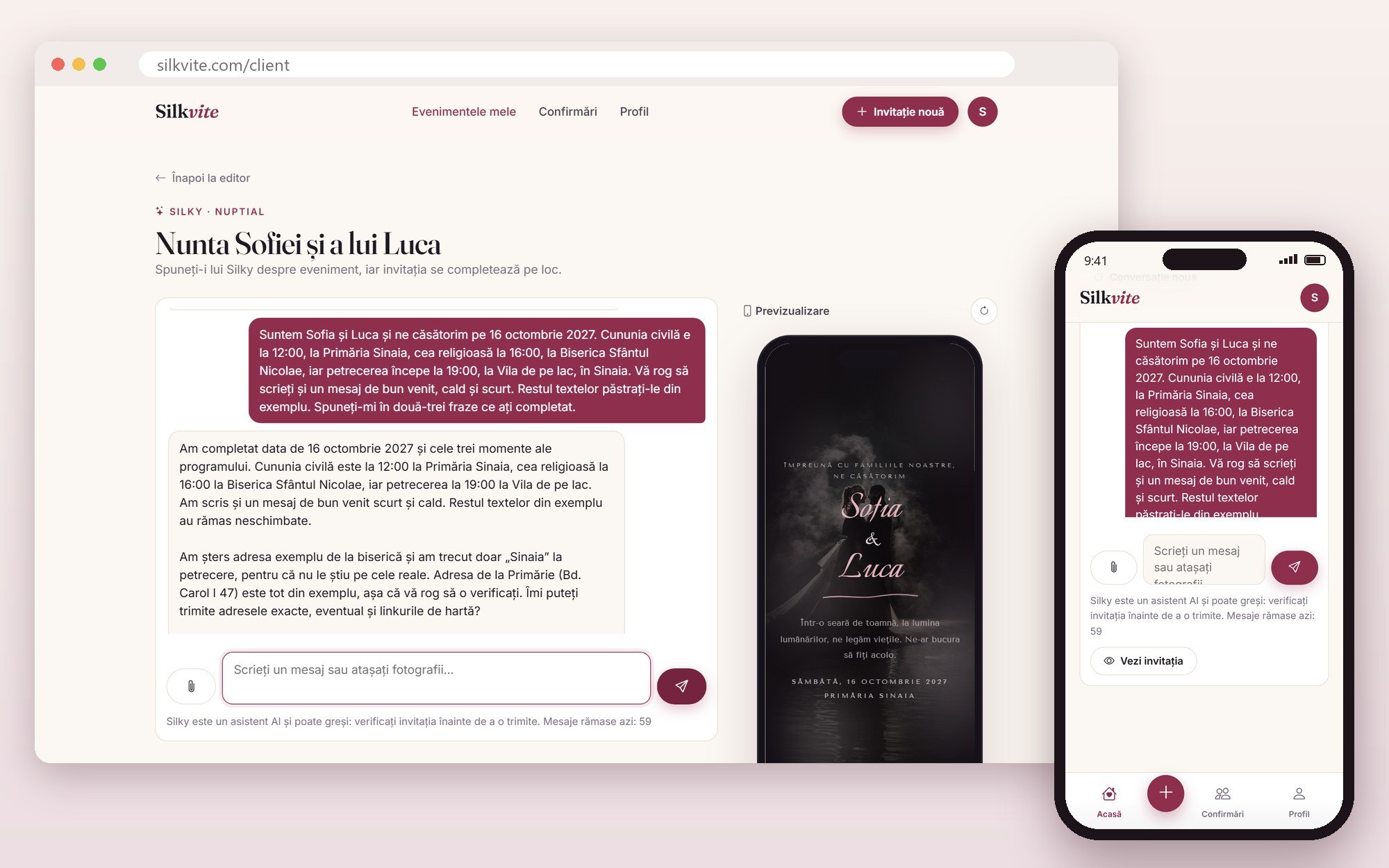
Silky: the AI assistant that writes your invitation's texts
You know what you want to say, just not how. Silky, the writing assistant in Silkvite, fills in your invitation from a few sentences and suggests text...
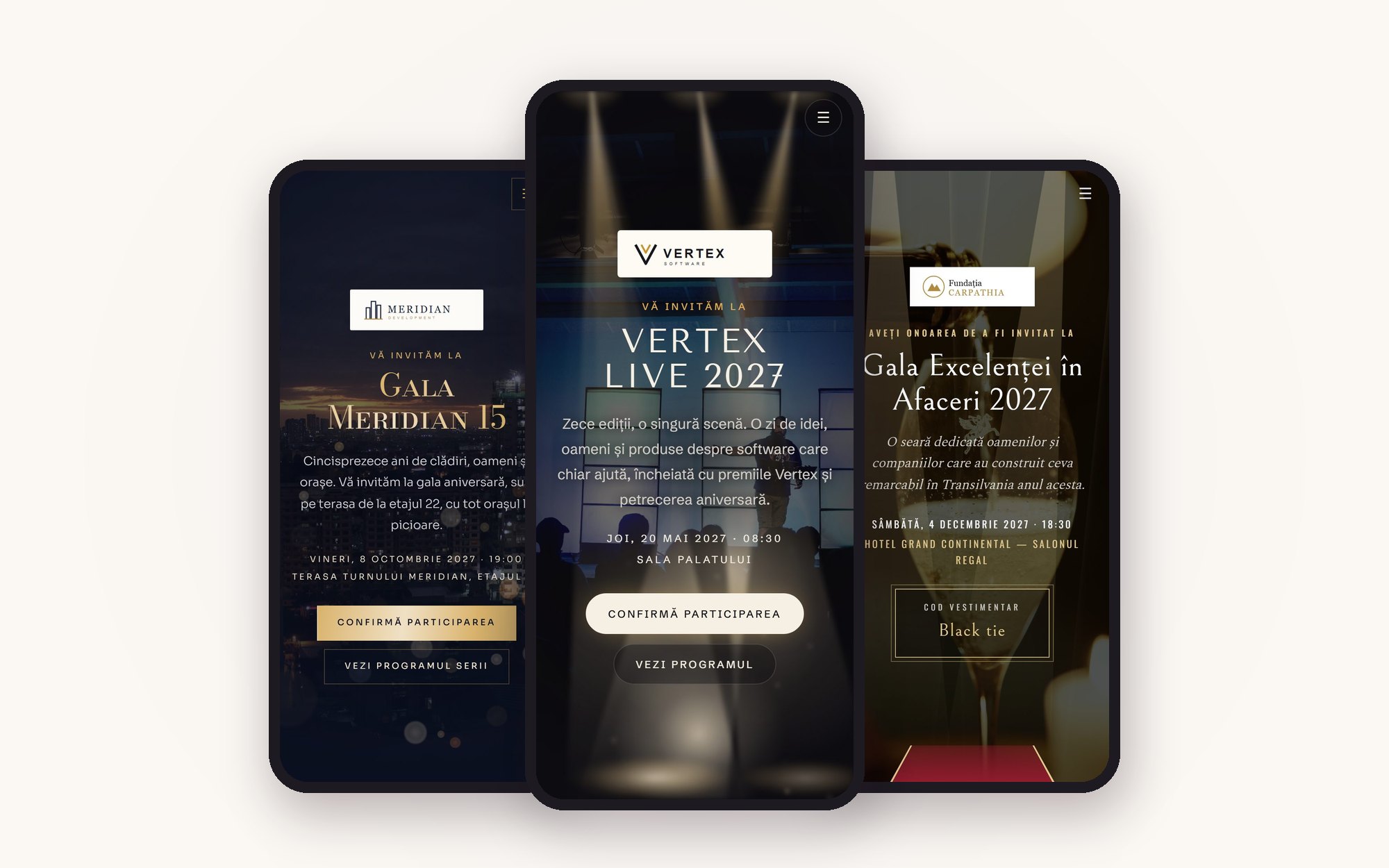
Corporate event invitations: the Christmas party, the gala or the team building
The Christmas party, the year-end gala or the team building: what to write in the invitation, when to send it and how to know early how many colleague...
Ready to invite your guests?
Choose a template now. Your page can be online today, from $44.99.
App Store · coming soon
Get it on Google Play