 Romantic
Wedding
Online wedding invitations
A carefully designed wedding invitation on every guest’s phone: your story, the day’s schedule, the venues on a map and the RSVPs, all in one link.
Set it up for free, pay only when you publish from $44.99 One payment, no subscription
Designs
All designs
Carefully crafted for weddings


An invitation that does more than announce
Your wedding invitation is the first thing your guests see of your day. On Silkvite, it becomes your own page, at an address that is easy to remember, opening beautifully on any phone: your names, the date, your story, your photos and everything guests need to arrive on time and in the right place.
Every design is made for the phone first, because that is where almost every guest will open it. Choose the design, write your own words, and the page looks like an invitation, not like a form.
RSVPs that arrive on their own, organised
Guests reply right from the invitation: whether they are coming, how many people, which menu they choose and any allergies, plus a message for you. You see the replies as they come in, with the totals already worked out, and you can send them to the venue as a PDF or an Excel file.
No more calling everyone or keeping track in chat messages. You always know how many are coming, who has not replied yet and what needs preparing.
Everything that matters, on one page
- The day’s schedule: the civil ceremony, the church ceremony and the reception, each with its own time and venue
- A map for every venue, opened in the guest’s navigation app with one tap
- The calendar: the event added to the guest’s phone, so it is not forgotten
- A countdown to the big day
- Your witnesses and parents, just the way you want them to appear
If something changes, edit the text and every guest sees the new version on the same link, with no reprinting and no correction messages.
For guests from far away
Inviting guests from other countries? Add the languages you need and write your own words in each one. Every guest reads the invitation in their language, on the same link.
And after the invitation goes out
Depending on the package, Silkvite stays with you until the last photo: send the invitation with a personal link by WhatsApp, SMS or email, see who has opened it, seat your guests at tables and give the venue the plan as a PDF. On the wedding day, a QR code at the entrance helps guests find their table, and another one on the tables gathers their photos into an album for you.
Online and printed, in the same style
Would you like a few printed invitations for the grandparents? From the same design you generate a print-ready PDF, A5 or A4, with the invitation’s artwork and photo, on white paper or in its own colour, and a QR code that leads to the online page.
Included in every package
More than an invitation
Envelope opening
Guests first open an envelope with your initials on the seal and their name on it, and the invitation rises out of it with music. The envelope matches the template; from Gold you can pick it from every design.
Unlimited replies
Any number of guests and replies, with how many people are coming, their menu choice and their messages. No cost per guest.
In each guest’s language
Add as many languages as you like and write your own texts in each. Guests from abroad read it in their language, on the same link.
Budget and checklist
Expenses, deposits, vendors and the gifts you receive, plus your preparations on a timeline counted back from the event date.
Map, calendar and countdown
Every venue with its map, the event added to the calendar in one tap and the days left until the big day.
Ready in minutes
Fill in the invitation with the template’s example in one tap, then change only what is yours: the names, the date, the venues, the photos.
Try any template
Until payment you can see your invitation, with your own texts and photos, in any other template of the same category, and keep the one you like.
Your colours, your sections
Every template comes in several colour variants. Hide what you don’t need and fill in the rest: the schedule, accommodation, gifts, frequently asked questions.
Changes anytime
Has the time changed? Edit the text and every guest sees the new version on the same link, with no reprinting.
On the phone, at your own address
Every template is designed for the phone first and has its own easy-to-remember address: your-names.silkvite.com
FAQ
Good to know
How do I send the online wedding invitation?
You get your own link, like your-names.silkvite.com, which you send by WhatsApp, Messenger, SMS or email. In the packages that include it, you can send each guest a personal link and see who has opened the invitation.
Do guests need to install an app to reply?
No. The invitation opens in the phone’s browser, and replying takes a simple form, with no account and no app.
Can I see which menu guests choose and whether they have allergies?
Yes. The RSVP form can ask for the menu and allergies, and you see the totals for each menu, ready to send to the venue.
Can I change the invitation after sending it?
Any time, for as long as your package lasts. Changes appear right away on the same link, so guests always see the right version.
Can I also have printed invitations?
Yes. From the same design you generate a print-ready PDF, A5 or A4, with crop marks, the invitation’s artwork and photo and a QR code to the online invitation. Print it at home on white paper, or at a print shop in the invitation’s colour.
Blog
All articles
Ideas and tips
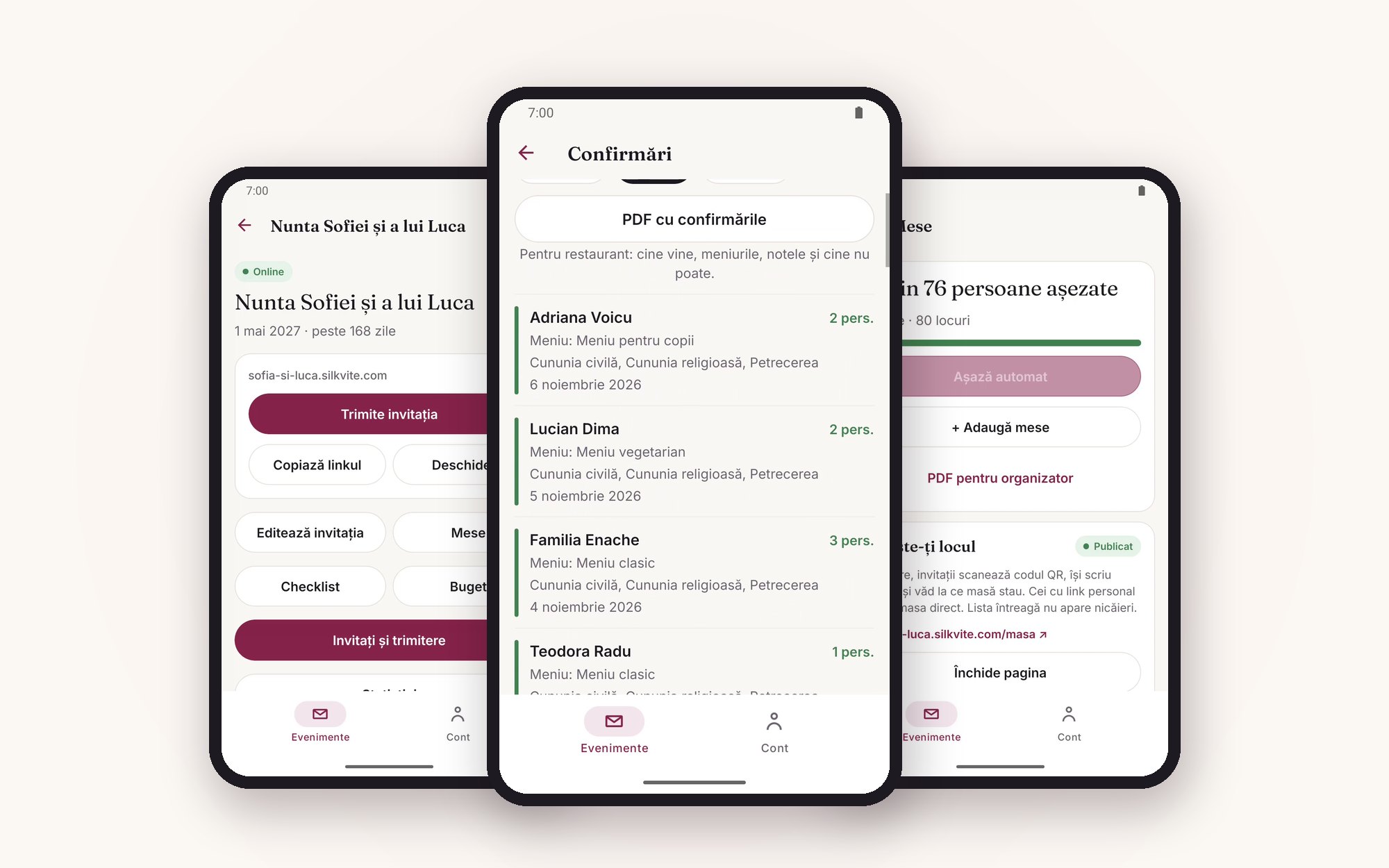
The Silkvite app for Android: your whole wedding on your phone
Replies come in when you are away from your computer. With the Silkvite app for Android you see them right away, send the invitation from your phone a...
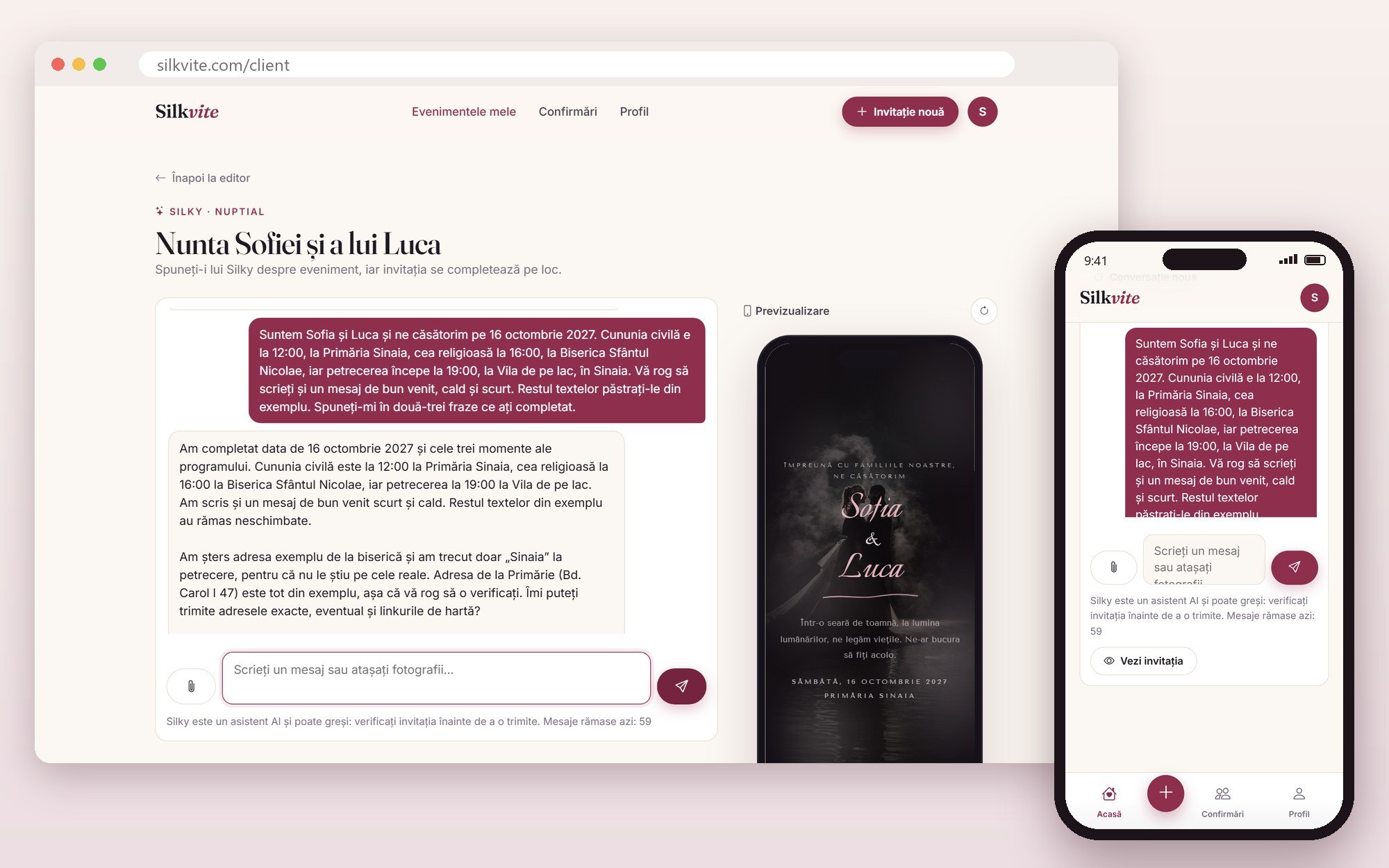
Silky: the AI assistant that writes your invitation's texts
You know what you want to say, just not how. Silky, the writing assistant in Silkvite, fills in your invitation from a few sentences and suggests text...
Choose the design. The rest is simple.
Personalise the invitation in minutes and see it exactly as your guests will. Pay only when you publish it.